

 Loading...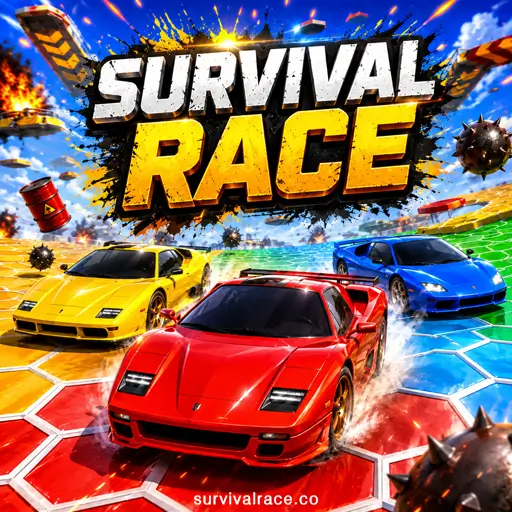
Play Survival Race online and enter a fast car battle where the arena disappears beneath your wheels. Steer across collapsing hexagonal tiles, jump over dangerous gaps, collect rewards and survive longer than five rival cars.
Survival Race is free to play directly in your browser. Click the Play Now button, wait for the game to load and start driving—no download or installation is required.

What Is Survival Race?
Survival Race is an arcade racing and car-survival game played on a dynamic hexagonal arena. Unlike a traditional racing game, there is no track, finish line or lap counter. Your main objective is to stay on the platform while the arena collapses and rival cars try to survive around you.
Every tile begins disappearing approximately two seconds after a car drives over it. This means that you cannot stop or repeatedly use the same route. The safe area also becomes smaller as the match progresses, forcing the remaining cars closer together.
The game uses bot-controlled opponents rather than real online players. This allows matches to begin quickly without waiting for other people to join.
If you enjoy fast vehicle challenges, explore more free racing games available on our website.
Survival Race Game Information
| Feature | Details |
|---|---|
| Game version | v0.0.187 |
| In-game credit | Brain Massage 2024 |
| Genre | Arcade racing and car survival |
| Opponents | Five computer-controlled cars |
| Game modes | Practice, Battle, Parkour and Autoball |
| Car collection | 22 designs and 8 colors |
| Total car variations | 176 |
| Average Battle round | Approximately 40 seconds |
| Platforms | Desktop, mobile and tablet browsers |
| Internet | Required to load the website and game |
| Fullscreen | Supported |
| Purchases | None |
Once the game has completely loaded, an active internet connection is not required to continue the current session. Refreshing or reopening the website may require another connection.
Survival Race Gameplay Features
Survival Race features a collapsing hexagonal arena, automatic car movement, five bot-controlled opponents and four game modes: Practice, Battle, Parkour and Autoball. Players can jump or fly across gaps, collect coins and keys, use Speedup and Critical Hit power-ups, earn crowns to increase their rank and unlock 176 cosmetic car variations. The game also includes adjustable drift and steering settings, saved progress, touchscreen controls and optional rewarded ads.
How to Play Survival Race
Your car moves forward automatically, so you only need to focus on steering, jumping and choosing a safe route.
When a match begins, look ahead and identify an open section of the arena. Avoid driving directly behind another car because its path will begin collapsing before you reach it. Use smooth turns to preserve your route and jump whenever a broken section blocks the way.
In Battle Mode, the winner is the last car remaining on the arena. Falling through a broken tile or driving over the edge sends your car into the empty void and eliminates you from the current match.
How the Hexagonal Arena Works
The arena is constructed from connected white hexagonal tiles. A tile remains solid until a car drives over it. After being touched, it starts disappearing and falls away after approximately two seconds.
Every car therefore changes the battlefield. Your own movement removes possible escape routes, while the bots create additional gaps around the arena. The available driving space also shrinks during the match.
Look several tiles ahead instead of watching only your car. A path that appears safe now may disappear before you reach it.
How to Win Battle Mode
To win, survive longer than all five bot-controlled opponents. You can accomplish this by avoiding damaged tiles, jumping over gaps and forcing rival cars into unsafe areas.
You do not always need to attack. Bots frequently eliminate themselves by following collapsing routes. Staying away from crowded sections can therefore be more effective than constantly attempting collisions.
Winning Battle matches earns crowns. Your crown total contributes to the rank displayed at the top of the game.
Survival Race Controls
The game supports keyboard, mouse and touchscreen controls.
Keyboard Controls
- Steer left:
Aor Left Arrow - Steer right:
Dor Right Arrow - Jump:
W,S, Spacebar, Up Arrow or Down Arrow - Fly: Quickly press a jump control twice
The car accelerates automatically. There are no separate acceleration, brake or reverse controls.
Mouse Controls
Click or hold inside the game to activate the virtual joystick. Move the joystick left or right to steer the car. Clicking or tapping also activates the jump action.
Quickly activate the jump input twice to fly over a longer gap.
Mobile Controls
Touch the screen to display the virtual joystick and move your finger to steer. Tap to jump and tap twice quickly to fly.
The game supports both portrait and landscape orientations, but portrait orientation provides the most comfortable mobile layout.
How to Jump and Fly
Use a normal jump to cross a small opening or avoid another car. Flying is activated by pressing or tapping the jump control twice and is more useful for crossing larger broken areas.
Do not use flying without first checking the landing area. Clearing the initial gap will not help if you land on a tile that is already disappearing.
Survival Race Game Modes
Survival Race includes four fully available modes. None of these modes need to be unlocked.
Practice Mode
Practice Mode is a free race without opponents. It gives you room to learn steering, drifting, jumping and flying without other cars interfering.
Use this mode to test the different drift and steering settings. It is also the best place for new players to learn how long tiles remain solid after being touched.
Battle Mode
Battle Mode places your car against five computer-controlled supercars. The objective is to remain on the shrinking arena longer than every rival.
Tiles disappear behind all six cars, making the battlefield increasingly difficult to navigate. Survive until the end to earn a crown and improve your rank.
Parkour Mode
Parkour Mode replaces the survival objective with a precision challenge. Drive across platforms, use ramps and collect as many stars as possible.
Stars may appear on separated or elevated platforms, so accurate jumping and flying are more important than aggressive driving. The game records the number of stars you collect.
Autoball Mode
Autoball combines car controls with a goal-scoring challenge. Use your vehicle to push different balls toward the goals and score as many times as possible.
The mode features several ball styles, including soccer, basketball and American football designs. Positioning is especially important because hitting a ball from the wrong angle can send it away from the goal.
Coins, Keys, Crowns and Stars Explained
Different collectibles and scores are used for different forms of progression.
Coins
Coins appear around the arena and contribute to car-unlock tasks. One task, for example, requires you to collect 15 coins to receive a new car.
Do not chase a coin when the surrounding tiles are damaged. Surviving and finding another collectible is usually better than losing the entire round.
Keys
Keys are less common collectibles used for special car-unlock tasks. Collecting three keys can reward you with a new vehicle variation.
Keys may appear close to ramps or dangerous sections, so check your landing route before attempting to collect one.
Crowns
Crowns are earned by winning Battle matches. They increase your progress and contribute to the rank displayed at the top of the game.
Some vehicle tasks also require a specific number of victories. One visible task asks the player to win four races to unlock a new car.
Stars
Stars are the primary objective in Parkour Mode. The game records how many stars you collect during your parkour runs.
Goals
Goals are recorded separately in Autoball Mode. Your objective is to score as many goals as possible by pushing the available balls into the goal areas.
Power-Ups in Survival Race
Two power-ups can appear during gameplay.
Speedup
Speedup temporarily increases your car’s movement speed. It can help you escape a collapsing section, reach a collectible or approach an opponent before it changes direction.
The additional speed also makes the car harder to control, so avoid using it for a sharp turn near the edge.
Critical Hit
Critical Hit increases the strength of a collision. Use it when another car is close to an edge or surrounded by damaged tiles.
Approach from the side when possible. A poorly aimed collision can change your own direction and send both cars into the void.
Cars, Colors and Unlockable Variations
The game includes 22 car designs, with eight available colors for each design. Together, these produce 176 cosmetic car variations.
The cars do not have different speed, strength or handling statistics. Their differences are cosmetic, allowing players to change their appearance without gaining an unfair gameplay advantage.
Only one car and one color are available at the beginning. Additional variations can be unlocked by completing tasks such as:
- Winning four Battle races
- Collecting 15 coins
- Collecting three keys
- Choosing to watch three rewarded ads
Rewarded ads are optional and do not automatically interrupt a race. Players can choose an ad task when they want another way to unlock a car.
There are no purchases or paid vehicle upgrades.
Drift, Steering and Other Settings
The settings menu offers more control than the simple keyboard layout initially suggests.
You can change the drift level between:
- Minimum
- Medium
- Maximum
You can also adjust steering between:
- Sharp
- Normal
- Smooth
Sharp steering responds quickly and can help during emergencies, but it is easier to oversteer near an edge. Smooth steering produces wider, more predictable turns. Medium drift and normal steering are sensible starting options for most players.
The settings also allow you to control sound and music separately, select a language and reset all saved progress.
Best Survival Race Tips
Avoid Following Other Cars
Following a bot is one of the most dangerous mistakes. Its wheels remove the exact tiles you need, leaving you with a collapsing path and very little reaction time.
Drive beside opponents or choose a separate section of the arena.
Look Ahead of Your Car
Watch the next several hexagons rather than focusing on your vehicle. This gives you time to notice broken tiles, ramps, collectibles and approaching opponents.
Stay Near the Center Early
The central part of the arena usually provides more possible escape routes. Driving around the outer edge leaves you with fewer options when tiles begin disappearing.
Do not remain in a crowded center indefinitely, however. Move away when multiple cars start destroying the same area.
Preserve Your Jump
Use steering for ordinary movement and save jumping for unavoidable gaps. Random jumping can produce a poor landing angle or place you on a damaged tile.
Use the double-tap flying move for longer gaps where a normal jump would not be enough.
Attack From the Side
When using Critical Hit or attempting to eliminate a bot, strike it from the side while it is near an edge. Avoid following it into the route you just destroyed.
Always identify your own escape path before beginning an attack.
Prioritize Survival Over Collectibles
Coins, keys and power-ups are helpful, but they are not worth an immediate elimination. Collect them when they appear along an already safe route.
Adjust the Steering Settings
If you frequently drive over the edge, try Normal or Smooth steering. If your car cannot change direction quickly enough, try Sharp steering.
Practice Mode is the best place to compare these settings.
Can You Play Survival Race on Mobile?
Yes. Survival Race can be played through a mobile browser using touchscreen controls. It has been tested successfully in Safari on mobile devices.
Portrait orientation offers the best mobile experience, although landscape mode is also supported. The interface automatically provides a virtual joystick for steering and touch controls for jumping.
You can also browse our complete collection of free car games for more browser-based driving challenges.
Loading, Fullscreen and Performance
The game usually takes approximately eight seconds to load, although the exact time depends on your device and connection.
Chrome, Safari and Microsoft Edge have been tested successfully on desktop. Safari has also been tested on mobile. Fullscreen mode is supported.
If the game does not load:
- Confirm that your internet connection is active.
- Refresh the page and wait for the loading process to finish.
- Try a current version of Chrome, Safari or Edge.
- Disable extensions that might block required game files.
- Clear the browser cache if an old version continues loading.
- Try closing other demanding browser tabs.
Once the game has loaded completely, it can continue running if the connection becomes unavailable. Reopening or refreshing the page may require internet access again.
Similar Games to Survival Race
If you enjoy collapsing arenas, car battles and short competitive rounds, try these related games:
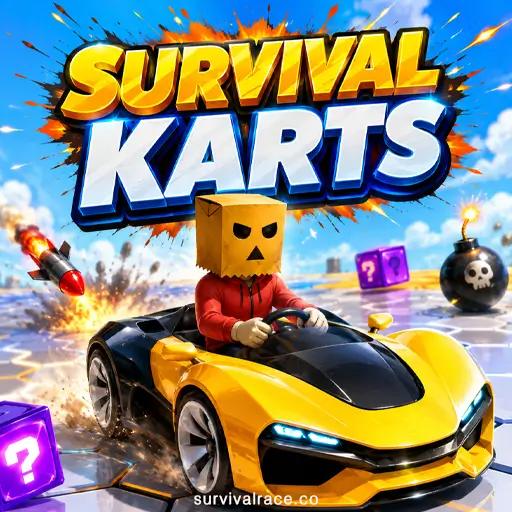
Survival Karts
Drive a kart around a dangerous shrinking arena and try to remain on the platform longer than your opponents. This is a strong choice for players who enjoy the survival side of the game.
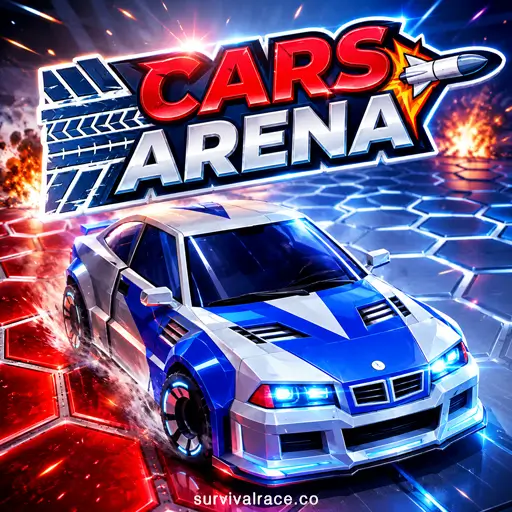
Cars Arena
Cars Arena combines vehicle control with last-car-standing competition. Create gaps in the arena and use careful positioning to eliminate rival cars.
Smash Karts
Smash Karts focuses more heavily on vehicle combat, weapons and fast arena matches. It is suitable for players who enjoy attacking opponents in Battle Mode.
Rocket Soccer Derby
Rocket Soccer Derby combines cars and ball sports, making it a natural recommendation for players who enjoy Survival Race’s Autoball Mode.
Visit our Racing Games and Car Games categories to discover more free games that work directly in your browser.
Frequently Asked Questions
Is Survival Race free?
Yes. The game is free to play in your browser and does not contain paid purchases.
Do I need to download Survival Race?
No. The game runs directly in a supported web browser without downloading or installing an application.
Is Survival Race a multiplayer game?
This browser version uses five bot-controlled opponents. You do not compete against real online players.
How many cars are available?
There are 22 car designs and eight colors, creating 176 cosmetic car variations.
Do different cars have better performance?
No. Vehicle and color differences are cosmetic. They do not provide additional speed, strength or handling.
How do I unlock a new car?
Complete car tasks by winning races, collecting coins, finding keys or voluntarily watching rewarded ads.
How do I fly?
Quickly press or tap the jump control twice. Flying allows your car to cross a longer broken section of the arena.
What are the game modes?
The four modes are Practice, Battle, Parkour and Autoball. All four are available from the beginning.
Can I play on a phone or tablet?
Yes. The touchscreen interface provides a virtual joystick and jump controls. Portrait orientation is recommended.
Does Survival Race work offline?
An internet connection is required to open the website and load the game. After loading is complete, the current session can continue without a connection.
Does it support fullscreen?
Yes. You can expand the game for a larger and more immersive playing area.
What version is available?
The settings menu identifies this build as version v0.0.187 and displays the credit “Brain Massage 2024.”
Is Survival Race v2 a different game?
No. Survival Race v2 refers to the same collapsing-arena game available on this page. Some players search for it using the “v2” name, but the current game settings identify the build as version v0.0.187.
Start Playing Survival Race
Survival Race combines accessible controls with a battlefield that changes every second. Its collapsing hexagonal arena keeps each match unpredictable, while four different modes provide alternatives to the standard car-survival battle.
Click Play Now, choose your preferred mode and see how long you can remain above the void.